Posts

Showing posts with the label js link

JSLink expand collapse documents
Image
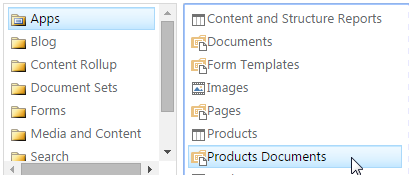
the expand/collapse is for each folder in the doc lib note: you need to change the view to flat insead of folders (edite view -> style) sample and example, with nano scroller, from my onedrive https://onedrive.live.com/redir?resid=949DC4EDBFFD4738!254&authkey=!ACwGD9PzPMxqle0&ithint=file%2cjs i just followed this fiddle  http://jsfiddle.net/hungerpain/eK8X5/7/ and this is my extra css .DocumentsZone { border-top : 1px solid #d4d4d4 } .docs-title-wrapper { margin : 20px 0 20px ;} .docs-title-wrapper h2.ms-webpart-titleText { display : inline-block ; } .docs-title-wrapper input { border : none ; width : 23px ; height : 23px ; min-width : 0 ; vertical-align : top ; margin-top : 7px ; background : url('/PublishingImages/+.png') ;} .docs-wrapper ul { list-style : none ;} .docs-wrapper li { padding : 10px 0 ;} .tree-header { cursor : pointer } .tree-header > span { font-size : 17px ; margin-left : 9px ; line-height : 24px ; verti...

JSLink Royal Slider Tutorial

if you havn't, take a look at the basic tutorial http://bresleveloper.blogspot.co.il/2014/12/js-link-tutorial-sharepoint-2013.html the basic thing about royal slider is the wrapper < div id ="Slider" class ="royalSlider rsDefault"> therefor the most logical solution is to use the Header-Item-Footer architecture. and since I like to capsulate everything I do so here is my basic object var jsLinkRoyalSlider = {}; jsLinkRoyalSlider.HeaderOverrideFun = function (ctx) {     return '<div id="Slider" class="royalSlider rsDefault">' ; }; jsLinkRoyalSlider.ItemOverrideFun = function (ctx) { }; jsLinkRoyalSlider.FooterOverrideFun = function (ctx) {     return '</div>' ; }; jsLinkRoyalSlider.Constuctor = function () {     var overrideCtx = {};     overrideCtx.Templates = {};     overrideCtx.Templates.Header = jsLinkRoyalSlider.HeaderOverrideFu...

JS Link Tutorial, Sharepoint 2013

Image
there are many suppose to be tutorial about JSLink, but none start form the beginning some history  http://bresleveloper.blogspot.co.il/p/evolution.html basically JSLink is the cliend side way of data-binding and rendering you sharepoint things to ... well it can be sharepoint lists and libraries and it can be your pages. it works like this, the moment you put a url to your js file the item / field / webpart sends all of its data to the client and run your js so what do we have? well best putted is this image from this blog: http://www.codeproject.com/Articles/620110/SharePoint-Client-Side-Rendering-List-Views this means that each part you see here is actually a JS function that accepts the context with all the data and returns some HTML ( function () {     var overrideCtx = {};     overrideCtx.Templates = {};     overrideCtx.Templates.Header = HeaderOverrideFun;     overrideCtx.Templates...