Posts

Showing posts with the label sharepoint search

SharePoint Search move to another page with same Query and Filters
Image
NOTE: this is classic SP, meaning 2013, or classic experience in 365, classic sites, or in my case, Publishing Site Collection, even on O365 - SP Online.  Scenario: I have a search page, for our randomly designed search results, with filters and paging, so far so good, SP provides everything except the design, for that we play with our design templates. Now our darling customer asks us to make a dynamic page for our singe item result.  Usually either we build a page-based system, and the results are pages, or even with documents-based system, usually we click on the docs and open them. In our case we had documents, in a  Documents Library (where else?), with some columns, and when we click on a result we go to a customized page that projects the metadata (columns) to that page. Again, so if we get a result for a PDF or Image, we now open another .aspx page, there we show the Title and Thumbnail and Description and so on of the file, most of them just more fields in the Do...

Sharepoint Search Refine by date

&refinementfilters='MyDateField:range(2014-01-01T00:00:00.0000000Z,2014-12-31T23:59:59.0000000Z,from="ge",to="le")'

Sharepoint 2013 search error: The crawler could not communicate with the server

wherever you get this error message in sharepoint 2013 search: The crawler could not communicate with the server. Check that the server is available and that the firewall access is configured correctly. the 1st thing that means is that the crawler just failed to get the page. but before you're running to the IIS and FW, you should just think about Permission. and that 1st of all means that everything is Published! Steps: 1. publish everything, incuding Master pages, Page Layouts, ect. 2. make sure the user running the search crawler has Read Permissions to that web. 3. if not the above, do check the IT stuff like communications and FW.

Sharepoint 2013 search: how to make refiner update 2 search web parts

Image
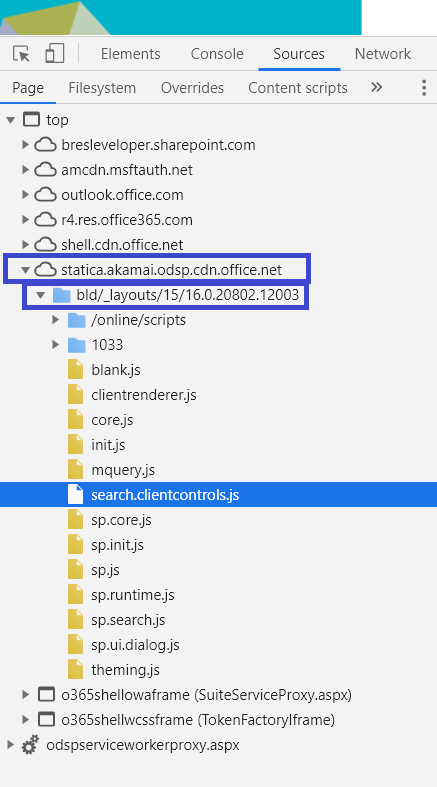
So my case today is having a nice Search Results Page, with a nice Search Results WP and a Refinement WP updating him. now i added another Content Search WP, and Oh My! it doesnt updates! since i am used to MS giving a lot of work to developers, that looked like a nice challenge, some advanced client-side Search-Controls work. so... 1 - Get the new query that part is easy - its up in the url, with a simple regex i took it out var rgx = /#Default={[{":,\\}()#\-\[\]a-zA-Z0-9]+}/ ; var queryObjStr = decodeURIComponent(window.location.hash)                      .match(rgx)[0].replace( "#Default=" , "" ); 2 - Send it to our control well, MS did gace us some nice Client-Side API, one of the SRCH objects is the QueryState, which is actually the object in the Default up in our hash var queryState = JSON.parse(queryObjStr); var queryStateArgs = new Srch.QueryEve...

SOLVED The item could not be indexed successfully because the item failed in the indexing subsystem

if you got an error like this The item could not be indexed successfully because the item failed in the indexing subsystem. ( The item could not be indexed successfully because the item failed in the indexing subsystem.; Failed to recover content group; Aborting insert of item in Link Database because it was not inserted to the Search Index.; ; SearchID = 04081656-B51B-4DCD-96D4-6DB2D2CEEEE7 ) as well as these: The item could not be indexed successfully because the item failed in the indexing subsystem. ( The item could not be indexed successfully because the item failed in the indexing subsystem.; Caught exception when preparing generation GID[7]: (Previous generation (last=GID[6], curr=GID[7]) is still active. Cannot open GID[7]); Aborting insert of item in Link Database because it was not inserted to the Search Index.; ; SearchID = 92EB0180-C086-4853-BED8-F4878D9748AD ) the solution for me was to clear configuration cache (PS)  and then restart SP Search Services. THX ...