Posts

Showing posts with the label microsoft flow

Flow How to test if MultiChoice is empty array?

Usually this should be empty, null or empty string. But after my migration  1. find the value, with loops it can be something like "items('Apply_to_each_2')?['Value']" 2. init variable and set it as Expression "string(items('Apply_to_each_2')?['Value'])" 3. test is vs "string('[]')"

microsoft flow (power automation) test if lookup is empty

 You need to use "empty" expression on the Lookup Value and Condition equals to expression "true" (of false or not equal ect.)

Microsoft Flow PowerApps Projects Time Management Apps - Part 1

Image
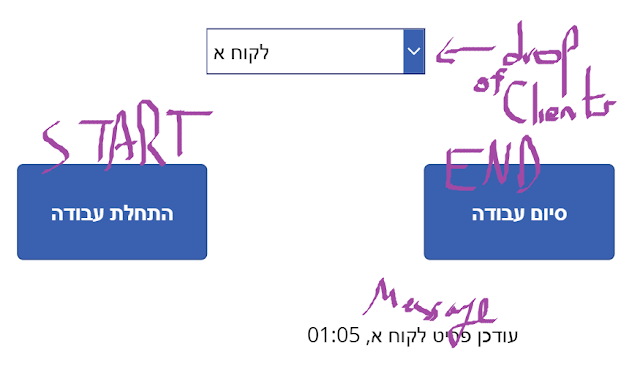
Goal is to be able to manage how much time (in hours and minutes) the company spent each month.  Each Employee should write down when he started and when he finished, and calculate the time.  At each period of time we should be able to get a report of total time spend per client.  Design:  Data will be 2 SharePoint lists, one for clients names, other for the time spent.  List 1 is Title only for client name.  List 2: Title - client name Created - start time Created By - employee EndTime - end time ☺ TotalTime - calculated field for time ( =TEXT(EndTime-Created, "hh:mm") ) App1 - Employee chooses client, has 2 buttons, start and end App2 - Manager can choose month and gets a list of clients with their total time Lets start, SP as states App1 Drop "Items" Connected to SPList and "Value" to Title. Button Start to Flow is very simple, create a sharepoint list item with title of selected client. Since i wanted some message in the app i had the flow to return so...

Microsoft Flow save email attachment with Hebrew Letter to OneDrive or SharePoint

Image
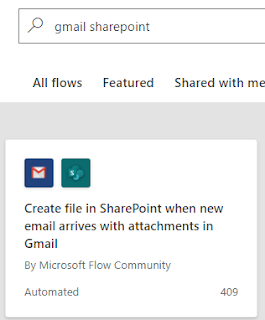
Theoretically you could just use the OOTB template to save a GMAIL to SHAREPOINT But... As always with MS, nothing is really that simple. All you need to break this flow is a special Character... So here starts a journey to clean special characters, and i followed this blog post. My spec was to create some Folder under the default Documents Library of a modern Team Site, and each attachment sent to a specific Gmail account, to be saves in a sub-folder with the sender's name, and another sub-sub-folder with the subject name https://tenant.sharepoint.com/sites/my-team-site/Documents/ emails Attachments/Sender Name/email subject/file name.ext Playing with Flows, I 1st learned that in order for the flow to be triggered WITH attachments you must change " Has Attachments " and " Include Attachments " to "Yes", both under advanced options under "When a new email arrives" event Now we can start talking about the actual flow logic ...

How to get RSS feed to Sharepoint List with Flow Automation

Image
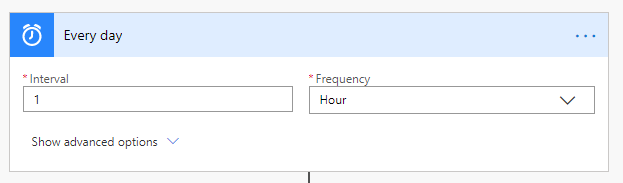
3 simple steps - Recurrence,  RSS, Apply to each with some Composes 1 - Recurrence Just state the recurrence of querying the feed 2 - Use the RSS connector, which actually just get the JSON array of the items :) (at least in my case) 3 - Apply to each with some Composes What can't be seen in the image is the formula, for each composite the formula is the same appart from the json field value, here "publishDate", place that in the "Expression" side of the "add dynamic content" and click "OK" items('Apply to each')?['publishDate'] which apparently can be also be done with item()?['User ID 1'] And create the SP item P.S. In order have distinct value items I set the SP list Title columns to force distinct values, it then shows an error for each attempt to create duplicate value

Microsoft Flow - Form, into excel, create word document from template, send email, addressing Copy/Create File errors

Image
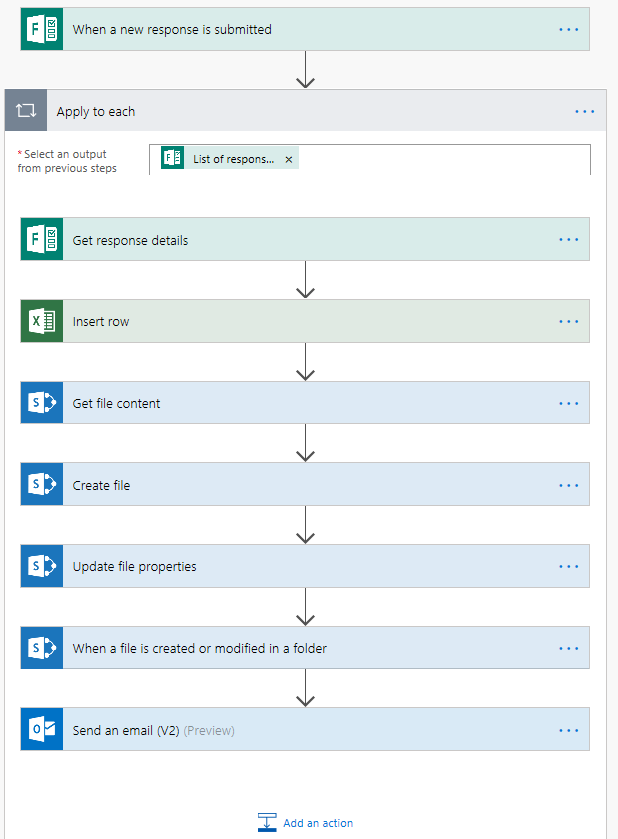
Today a customer showed me a paper (invoice) recipe  he had to write into an excel, and then again into a word "thank you" for printing/emailing. If you're here for the Copy/Create File errors, jump to the end. So what we did is to prepare a Form for inputs, and then a Flow that takes that data, use " Insert Row " for excel. Next was to create the word document. I've tried to create custom properties myself, but didn't manage so I followed Netwoven's tutorial , and the simple steps are: 1 - Create a Sharepoint Document Library and add your custom properties to the library as custom Fields. 2 - Go to  Library Settings > Advanced Settings > click Edit Template 3 - The template will open an empty word document, edit it however you want 4 - Wherever you want one of the dynamic custom properties to fit in put your cursor there and click Insert > Quick Parts > Document Property > your custom Fields name 5 - Save the document as a...

Microsoft Flow - auto post in twitter and pinterest

The task at hand - a form, when filled, creates a post at [all] social networks, this blog is about twitter and pinterest. Part 1 - prepare the image Twitter needs "file content" in its media field, while pinterest needs an image url open to the public. So [1st flow] was in OneDrive folder for those uploaded images, sending back the image ID to be used in the form. Can take a few minutes, sent to mail (better to send with the image). The twitter account will create the public url for the image. Part 2 - the form Most simple form, Title, Content and image id into [2nd flow] a Sharepoint list. If you're sure you're never going to use more than 255 characters you can just use the title (i dont like to extend title fields characters limit). Part 3 - to the social media Next [3rd flow] when the SPItem is created, I use OneDrive "Get file content" for the file content and the "Title - Content" for the text, and post a new tw...