Posts

Showing posts with the label sharepoint online

Copy SharePoint Online List with Data (with list items) to another site

 We have PNP!!! Using this post , and upgrading it with to the new PNP , this is the results 1. Make variable $listName = "listTitle" (hebrew works :)) $listName = "קריאות לבאטמן" 2. Make variable $templateName = "c:\template\HR-listTemplate" (or another path) $templateName = "c:\template\BAT-listTemplate" 3. Connect to SiteA Connect-PnPOnline -Url "https://tenant.sharepoint.com/sites/SiteX/SiteA" 4. Get list template Get-PnPSiteTemplate -Handlers Lists -ListsToExtract $listName -Out ("{0}.xml" -f $templateName) 5. Get items to that same file (peep to the xml file) Add-PnPDataRowsToSiteTemplate -path ("{0}.xml" -f $templateName) -List $listName -Query '<view></view>' 6. Connect to SiteB Connect-PnPOnline -Url "https://amymetom1.sharepoint.com/sites/AmyPortal2" 7. Provision the list Invoke-PnPSiteTemplate -Path ("{0}.xml" -f $templateName)  8. Go to site content and be pr...

SharePoint Modern Site copy/save Theme to another site

In case you Provisioned a beautiful site with the PNP services of SharePoint LookBook , and you liked it, but wanted to take it out to another site... Well, MS did not yet gave us a way to save/copy a Theme... just a lot of ways to upload ones... I tried so mush downloading a site template with Get-PnPProvisioningTemplate Get-PnPSiteTemplate Invoke-PnPSiteTemplate All failed for so many reasons... BTW (1) dont change the name of the .pnp file, and if you get some "access denied" error, either become global admin, or use "-ExcludeHandlers" (i needed  Fields, Files, Lists, Pages ) Anyways... how I got it working 1. I used this endpoint to get the actual palette https://tenant.sharepoint.com/sites/NewEmployeeOnboardingNew/_api/SP.Web.GetContextWebThemeData 2. And extraced the data accroding to this MS article  while converting the RGB to HEX code made in html/js in the end 3. I uploaded the theme to the Tenant With SPO services, for some reason, you can't connec...

Correct way to set Sharepoint calculated field for Month

 - the bad solution "if(Month(TODAY())=Month([ Created]))" The good solution FIELD "start the month"- returns this date:  =DATE(YEAR([Created]), MONTH([Created]),1)  FIELD " end the month"- returns this    =DATE(YEAR([Created]),MONTH([ Created])+1,1)-1

SharePoint Generate Thumbnail to Documents

 Thank you this blog code:                 img = location.origin +                          '/_api/v2.0/sharePoint:' +                          (ctx.CurrentItem.Path.replace(location.origin, '')) +                          ':/driveItem/thumbnails/0/large/content?preferNoRedirect=true';

Power Automation (Flow) send email with Image from Picture Field (Sharepoint list)

Image
 The Scenario - When item is created in list B, and list B has the ID for item in list A, go get list A item by id, where there are some details including a Picture field, and send all that via email. The main thing to remember is that MS did not develop the api needed for the flow to get the picture field, so we cant read nor update it, only via HTTP. Steps: trigger when item created in list B parse listItemB_ID field from float to integer get item from list A via flow get item from list A via HTTP request to SharePoint (*not premium) get the Picture field value, it's a JSON parse that json give a schema for the parser where do we find the sample for the schema build the Picture url send email 1. trigger when item created in list B   2. parse listItemB_ID field from float to integer the item A id field, although set to be integet, is eventually a float for the flow. we must parse it using the `int` function, using  int(triggerOutputs()?['body/CouponID']) 3.  ge...

Microsoft Flow save email attachment with Hebrew Letter to OneDrive or SharePoint

Image
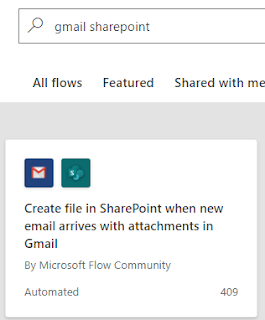
Theoretically you could just use the OOTB template to save a GMAIL to SHAREPOINT But... As always with MS, nothing is really that simple. All you need to break this flow is a special Character... So here starts a journey to clean special characters, and i followed this blog post. My spec was to create some Folder under the default Documents Library of a modern Team Site, and each attachment sent to a specific Gmail account, to be saves in a sub-folder with the sender's name, and another sub-sub-folder with the subject name https://tenant.sharepoint.com/sites/my-team-site/Documents/ emails Attachments/Sender Name/email subject/file name.ext Playing with Flows, I 1st learned that in order for the flow to be triggered WITH attachments you must change " Has Attachments " and " Include Attachments " to "Yes", both under advanced options under "When a new email arrives" event Now we can start talking about the actual flow logic ...

Sharepoint Online SPFx Search Rest Api 403

Image
In case you develop an SPFx and you try to use RestApi for Search (or maybe also with the SP Rest) and you get 403, this in because your Webpart is running in his own scope, under an IFRAME. The solution is to dynamically take your Absolute Url      let   filesQuery  =  this . context . pageContext . web . absoluteUrl ; Every SPFx Webpart has his own SPPageContextInfo. P.S. In case you choose to user SPHttpClient, you need 2 things to get over your 500 error: 1. use Default configuration (that should be v3 or v4) 2. change Accept header odata part to verbose      this . context . spHttpClient . get ( filesQuery ,  new   SPHttpClientConfiguration ({}),       {  headers :  {  Accept :   "application/json;odata=verbose;charset=utf-8"  } })         . then (( response :  SPHttpClientResponse )...

How to get RSS feed to Sharepoint List with Flow Automation

Image
3 simple steps - Recurrence,  RSS, Apply to each with some Composes 1 - Recurrence Just state the recurrence of querying the feed 2 - Use the RSS connector, which actually just get the JSON array of the items :) (at least in my case) 3 - Apply to each with some Composes What can't be seen in the image is the formula, for each composite the formula is the same appart from the json field value, here "publishDate", place that in the "Expression" side of the "add dynamic content" and click "OK" items('Apply to each')?['publishDate'] which apparently can be also be done with item()?['User ID 1'] And create the SP item P.S. In order have distinct value items I set the SP list Title columns to force distinct values, it then shows an error for each attempt to create duplicate value