Posts

Showing posts with the label sharepiont 2013

Javascript Event Oriented Programming example on SPSocialFeed

SPSocialFeed is the sharepoint microblog, where you can post your thoughts and reply on yourself and other. We wanted to add some functionalities for every reply and post added, so i used the new  "MutationObserver" and "CustomEvent"  new API's in ES6 to create an event-full way to implement solution // batman is the man in-charge catching the bad guys in the night. // so now he catches the good events in the feed let batman = ( function (){ let config = { childList : true }; let batman = class batman{ constructor(){ this .v = "2.0.0" ; //register call to batCave fn. to _spBodyOnLoadFunctionNames, the SP onready _spBodyOnLoadFunctionNames.push( 'batman.batCave' ); } batCave(){ let feed = document.getElementById( 'ms-feedthreadsdiv' ); //childNodes can be any type of nodes, like text node. children is only HTML...

Sharepoint Search Refine by date

&refinementfilters='MyDateField:range(2014-01-01T00:00:00.0000000Z,2014-12-31T23:59:59.0000000Z,from="ge",to="le")'

Add Promoted Links Web Part as part of the Page Layout SharePoint 2013

< WebPartPages:WebPartZone ID = " WebPartZone " runat = " server " FrameType = " None " >   < WebPartPages:XsltListViewWebPart      ID = " XsltListViewArticlePromotedList "       runat = " server "       ListUrl = " Lists/myList "       IsIncluded = " True "       NoDefaultStyle = " TRUE "       Title = " Images used in switcher "       PageType = " PAGE_NORMALVIEW "       Default = " False "       ViewContentTypeId = " 0x " >     < JSLink > ~site/SiteAssets/PromotedLinks.js </ JSLink >   </ WebPartPages:XsltListViewWebPart > </ WebPartPages:WebPartZone >

Sharepoint 2013 search error: The crawler could not communicate with the server

wherever you get this error message in sharepoint 2013 search: The crawler could not communicate with the server. Check that the server is available and that the firewall access is configured correctly. the 1st thing that means is that the crawler just failed to get the page. but before you're running to the IIS and FW, you should just think about Permission. and that 1st of all means that everything is Published! Steps: 1. publish everything, incuding Master pages, Page Layouts, ect. 2. make sure the user running the search crawler has Read Permissions to that web. 3. if not the above, do check the IT stuff like communications and FW.

Sharepoint 2013 search: how to make refiner update 2 search web parts

Image
So my case today is having a nice Search Results Page, with a nice Search Results WP and a Refinement WP updating him. now i added another Content Search WP, and Oh My! it doesnt updates! since i am used to MS giving a lot of work to developers, that looked like a nice challenge, some advanced client-side Search-Controls work. so... 1 - Get the new query that part is easy - its up in the url, with a simple regex i took it out var rgx = /#Default={[{":,\\}()#\-\[\]a-zA-Z0-9]+}/ ; var queryObjStr = decodeURIComponent(window.location.hash)                      .match(rgx)[0].replace( "#Default=" , "" ); 2 - Send it to our control well, MS did gace us some nice Client-Side API, one of the SRCH objects is the QueryState, which is actually the object in the Default up in our hash var queryState = JSON.parse(queryObjStr); var queryStateArgs = new Srch.QueryEve...

Create Visual Studio project for Sharepoint

Image
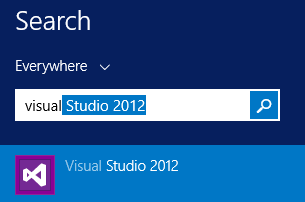
Many time we, Developers, gets a dev environment with a SP farm and need to get to work. it usually comes in 2 stages, 1st is to create a new WebApplication up to having an actual site running, and that is covered here. this is the 2nd part where we create a new Visual Studio project for Sharepoint and connect it to our brand new site :). 1. Open Visual Studio (da...) 2. Click "New Project", enter "sharepoint" in the search box, and choose "SharePoint 2013 - Empty Project" 3. in the opened dialog box, enter the domain url for your new site, and choose "Farm Solution" 4. Create new item 5. in the search box enter "webpart" to see available webparts templates, in this tutorial we will add a visual webpart. notice that in SP2010 the resutls will be a bit different. BTW, i prefer the UC/SmartPart template like in SP2010 and still use it since its much easier to change an .ascx file, while with this template even the ...

Create New Sharepoint Web Application all the way to the site tutorial

Image
Many time we, Developers, gets a dev environment with a SP farm and need to get to work. it usually comes in 2 stages, 1st create a new WebApplication up to having an actual site running, and thats whats this post is about. 2dn part here. 1. Open Central Admin 2. Go to "Manage Web Applications" 3. Click in the ribbon on "New" to create a new WebApplication 4. Fill the following and when you scroll down also     and after a long wait... 5. Click "Create Site Collection: so that you get this window, and fill the relevant inputs 6. while this is going, you'll need to teach your local DNS the address for you new site, so open the "Run" window by pressing the window key + R and input "drivers" 7. open the "etc" folder 8. edit the "hosts" file. note that in some versions of Window you must either open "notepad" as administrator or copy the file outside this director...

sharepoint 2013 and angular js - development tutorial

so we want to just do an SPA with angular for the "front end" site, and leave SP as a CMS well unless you put he main html file in the root, as in <server>\index.html, you will get a download everytime you try to browse to the file. this is a security feature and can be canceled with simple PS from here https://gist.github.com/wpsmith/484eb67652b3c928940d . the example is about html files. next thing, SP-wise, is getting your data. there you have 2 options, the "regular" rest api and the search rest api. the search, for getting data, is much faster, but you need to activate the search. url for search will always be like this /_api/search/query?querytext=<your query>&selectproperties='<Title,ListItemID, ect.>' notice that in the search you dont have the standard "Id" property but ListItemID. to map this enormous object to something normal, you can create a simple mapping function var toNormalItem = function ( ce...