Posts

Hyper-V creating new machine error

if you're getting any of these, "might not have permission to perform this task" "server encountered an error while configuring hard disk you might not have permissions" "Contact the administrator of the authorization policy for the computer " "The server encountered an error trying to create the virtual hard disk" or any error at all, always 1st check that this service is on: "Hyper-V Image Management Service". well, and all its other services

Variations not copying items or Ribbon Button "update all variants" is grayed out

my scenario is when everything working properly and yet you never see your new items/pages in your variations targets. this is actually an embarrassing thread, but i'll write it for the key searches I've made without any results. the reason might be you just misread, or never read, the variations docs to the end, well i guess its there since i never really read them either. anyway if you set the target variation to be updated automatically it will only take Published items, so make sure you publish you content where needed. but if you set it to be manually updated then the Ribbon Button "update all variants" is initially grayed out. you must select items and only then push it. its a bit tricky since:   a. if you want to copy entire list/lib you need to select them all, sometimes its a lot.   b. if you select a sub-folder it doesn't work. the solution to the above will be to create a designated view (flat view - no sub-folders). p.s. from a certain...

Serialize (map) TermsSet / Term

i should edit this sometime, but currently here is the code public class ComplexMappedTerm { public static int LCID { get ; set ; } public Guid ID { get ; set ; } public string Label { get ; set ; } public int ChildrenCount { get ; set ; } public string Path { get ; set ; } public List < ComplexMappedTerm > Children { get ; set ; } private ComplexMappedTerm() { } public static ComplexMappedTerm BuildTree( TermSetItem tsi) { if (LCID == 0) { throw new ArgumentException ( "TermMap - Must set static property LCID before using mapping functions" ); } if (tsi is Term ) { return Map(tsi as Term ); } if (tsi is TermSet ) { return Map(tsi as TermSet ); } return null ; } static ComplexMappedTerm Map( Term t) { List < ComplexMappedT...

the Deep Web - the technical truth

if you try to google "deep web" you'll get tons of results, most, unfortunately interesting conspiracies and "bad" stuff. What's in it? but the truth is that the 1st main portion of the deep web is just a lot of data that is just out there, that anyone can get there, and google just cant index it for 1 of 3 main reasons -  1 - its API format data - i.e. JSON, XML, numbers ect. 2 - its form query based data, meaning its in a database and you need to send a query to get results. 3 - its logon based (facebook, ect.) the crawlers knows how to handle web pages, today even with JS and AJAX, but still only web pages. there are of course more reasons, for example google, and when i say google i mean search engines, will not index illegal stuff, heavy gore, copy-rights (more relevant on youtube), and commercial reasons.  so ye, most of the deep web is just data, yet for specific people, such as NASA's API's, and here is a list of 60 de...

How to update TaxonomyField sharepoint 2013

the most simple solution, and occasionally the only working one, is to find the Term itself and send it and let SP to handle everything else, and the code is much shorter this is the code for updating the field Term ItemTypeTerm = GetTermByName() ; if (ItemTypeTerm != null ) {     TaxonomyField ItemTypeField =                     ( TaxonomyField )f.Fields.GetFieldByInternalName( "CbsMMDItemType" );       ItemTypeField.SetFieldValue(field, ItemTypeTerm); }

Sharepoint 2013 SPView does not bring all items and/or fields

i created a handler to bring me a view, so say i had this url for the view "http://server/sub1/sub2/Lists/myList/myItems.aspx" to i sent my view the server relative url "/sub1/sub2/Lists/myList/myItems.aspx" and used it to open a new SPSite and SPWeb and get the items, yet i just couldn't get all my items. yet when i tried by using the SPContext.Site it worked. i dont know why, but the context of how the SPSite was opened affects the view. my final code looks like this using ( SPSite tempSite = new SPSite (serverUrl + serverRelativeViewUrl)) {     using ( SPWeb getUrlWeb = tempSite.OpenWeb())       {             spwebUrl = getUrlWeb.ServerRelativeUrl;       } } using ( SPWeb tempWeb = spContext.Site.OpenWeb(spwebUrl)) {       string viewUrl = item.MethodValue;       if (viewUrl.StartsWith( "...

Search Application Topology errors (sharepoint 2013)

Image
you may have encountered this problem like this "SharePoint 2013 Search Topology Activation Error: "Unable to retrieve topology component health states. This may be because of the admin component is not up and running". or like this, having index partition or any other of the 5 components with a warn or error (image is edited to fit). a more common case we had was having noderunner limited to 300MB. so the solution was to bring it up to 500. C:\Program Files\Microsoft Office Servers\15.0\Search\Runtime\1.0\noderunner.exe.config the conclusion is that noderunner without enough memory eventually throw an error.

angular ngrepeat startWith filter

today i had some fun trying to make a "startWith" filter for ng-repeat. simple start with the most simple solution is to modify the default angular filter, just this line inside the filter function, deep inside the angular.js file there is our function " function filterFilter() ", find this line return ( '' + obj).toLowerCase().indexOf(text) > -1; and you only need to change it to return ( '' + obj).toLowerCase().indexOf(text) === 0; example : http://plnkr.co/edit/iRzIj77N9rAoiCSMbRyk?p=preview any word start with but then they asked that if we have "In God I Really Do Trust" that 't' will bring it, i.e. make a filter that will find if any word start with, so I made a little nice filter, it even supports object to 1 level depth http://plnkr.co/edit/xFhy7CdHnAZcEvgDA59L?p=preview maybe there is an OOTB way to do it while working on all that I noticed that the default filter comes with a comparator, so w...

Server Control with Child Control, dynamic created, retain control

Image
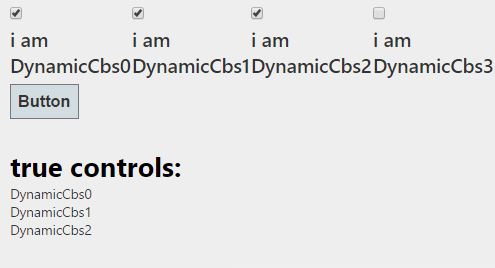
public class RelatedPublicationFilesSave : Control {     protected HiddenField _test;     protected override void OnInit( EventArgs e)     {         base .OnInit(e);         _test= new HiddenField ();         _test.ID = "_test" ;         this .Controls.Add(_test);     }     protected override void OnLoad( EventArgs e)     {         _RelatedPublicationFilesSave =             this .FindControlById( "_test" ) as HiddenField ;         Log .Debug( "_test.Value: " + _test.Value);     } } the point is that OnInit hap...