Posts

Sharepoint 2013 search: how to make refiner update 2 search web parts

Image
So my case today is having a nice Search Results Page, with a nice Search Results WP and a Refinement WP updating him. now i added another Content Search WP, and Oh My! it doesnt updates! since i am used to MS giving a lot of work to developers, that looked like a nice challenge, some advanced client-side Search-Controls work. so... 1 - Get the new query that part is easy - its up in the url, with a simple regex i took it out var rgx = /#Default={[{":,\\}()#\-\[\]a-zA-Z0-9]+}/ ; var queryObjStr = decodeURIComponent(window.location.hash)                      .match(rgx)[0].replace( "#Default=" , "" ); 2 - Send it to our control well, MS did gace us some nice Client-Side API, one of the SRCH objects is the QueryState, which is actually the object in the Default up in our hash var queryState = JSON.parse(queryObjStr); var queryStateArgs = new Srch.QueryEve...
SOLVED The item could not be indexed successfully because the item failed in the indexing subsystem

if you got an error like this The item could not be indexed successfully because the item failed in the indexing subsystem. ( The item could not be indexed successfully because the item failed in the indexing subsystem.; Failed to recover content group; Aborting insert of item in Link Database because it was not inserted to the Search Index.; ; SearchID = 04081656-B51B-4DCD-96D4-6DB2D2CEEEE7 ) as well as these: The item could not be indexed successfully because the item failed in the indexing subsystem. ( The item could not be indexed successfully because the item failed in the indexing subsystem.; Caught exception when preparing generation GID[7]: (Previous generation (last=GID[6], curr=GID[7]) is still active. Cannot open GID[7]); Aborting insert of item in Link Database because it was not inserted to the Search Index.; ; SearchID = 92EB0180-C086-4853-BED8-F4878D9748AD ) the solution for me was to clear configuration cache (PS)  and then restart SP Search Services. THX ...

Internet Explorer error 'Node' is undefined

if you by any chance get this only in ie its because MS is trying to make the shityest browser ever!!! the browser probably runs in compatible mode of ie7. the fix is so ever simple: <meta http-equiv="x-ua-compatible" content="IE=edge">

Run Sharepoint Powershell as a different user

In the other day i want to set a Pre-Prod stage and wanted to change the Continuous Crawl Interval using the known PS commands $ssa = Get-SPEnterpriseSearchServiceApplication   $ssa.S etProperty("ContinuousCrawlInterval",20) see more here BUT!  i could not gain access to the search service, and kept getting this error: format-default : Exception has been thrown by the target of an invocation. Googling around i got the point that it was a permissions error, mainly from here  where it was stated by BastianWebster that you need to do this with the user running the app pool. now usually its either everything is running with the same super-user, or at least you get your super-user with permissions to rule-them-all, but not this time. i was sp_admin, and, funny as it is, the sp_search, running the pool for the SSA, was not allowed for RDP. so i just tried to run SP Management Shell, the Sharepoint Powershell (SP PS lol) as a different user but could...

Post ngRepeat Code

all those questions, How to run function after ngRepeat is done Calling a function when ng-repeat has finished ng-repeat finish event all the answers in stackoverflow goes around <ul> <li ng-repeat = "item in items" ng-init = "$last ? doSomething() : angular.noop()" > {{item}} </li> </ul> which are nice and are a real solution, while each answer eventually give the same solution a bit more generic. one blog puts it quite better, while also enabling to choose the digest cycle stage, with the exception that you better use $parse instead of $eval: http://www.bennadel.com/blog/2592-hooking-into-the-complete-event-of-an-ngrepeat-loop-in-angularjs.htm but in the end we usually just do some simple JS or JQ code or plugin, and i think that the real solution here is a simple setTimeout since the setTimeout function gets pushed to the end of the queue of the browser, its always right after everything is done in angular, usu...

Create Visual Studio project for Sharepoint

Image
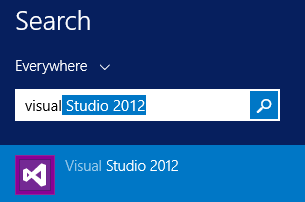
Many time we, Developers, gets a dev environment with a SP farm and need to get to work. it usually comes in 2 stages, 1st is to create a new WebApplication up to having an actual site running, and that is covered here. this is the 2nd part where we create a new Visual Studio project for Sharepoint and connect it to our brand new site :). 1. Open Visual Studio (da...) 2. Click "New Project", enter "sharepoint" in the search box, and choose "SharePoint 2013 - Empty Project" 3. in the opened dialog box, enter the domain url for your new site, and choose "Farm Solution" 4. Create new item 5. in the search box enter "webpart" to see available webparts templates, in this tutorial we will add a visual webpart. notice that in SP2010 the resutls will be a bit different. BTW, i prefer the UC/SmartPart template like in SP2010 and still use it since its much easier to change an .ascx file, while with this template even the ...

Create New Sharepoint Web Application all the way to the site tutorial

Image
Many time we, Developers, gets a dev environment with a SP farm and need to get to work. it usually comes in 2 stages, 1st create a new WebApplication up to having an actual site running, and thats whats this post is about. 2dn part here. 1. Open Central Admin 2. Go to "Manage Web Applications" 3. Click in the ribbon on "New" to create a new WebApplication 4. Fill the following and when you scroll down also     and after a long wait... 5. Click "Create Site Collection: so that you get this window, and fill the relevant inputs 6. while this is going, you'll need to teach your local DNS the address for you new site, so open the "Run" window by pressing the window key + R and input "drivers" 7. open the "etc" folder 8. edit the "hosts" file. note that in some versions of Window you must either open "notepad" as administrator or copy the file outside this director...

sharepoint 2013 and angular js - development tutorial

so we want to just do an SPA with angular for the "front end" site, and leave SP as a CMS well unless you put he main html file in the root, as in <server>\index.html, you will get a download everytime you try to browse to the file. this is a security feature and can be canceled with simple PS from here https://gist.github.com/wpsmith/484eb67652b3c928940d . the example is about html files. next thing, SP-wise, is getting your data. there you have 2 options, the "regular" rest api and the search rest api. the search, for getting data, is much faster, but you need to activate the search. url for search will always be like this /_api/search/query?querytext=<your query>&selectproperties='<Title,ListItemID, ect.>' notice that in the search you dont have the standard "Id" property but ListItemID. to map this enormous object to something normal, you can create a simple mapping function var toNormalItem = function ( ce...